Google Chrome Setting Button
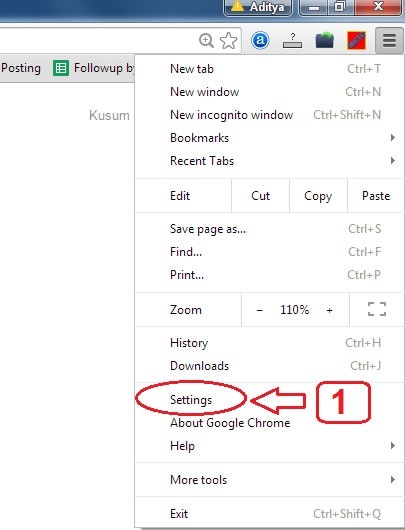
- From here go to Google Chrome setting page.
Google Chrome Setting Page
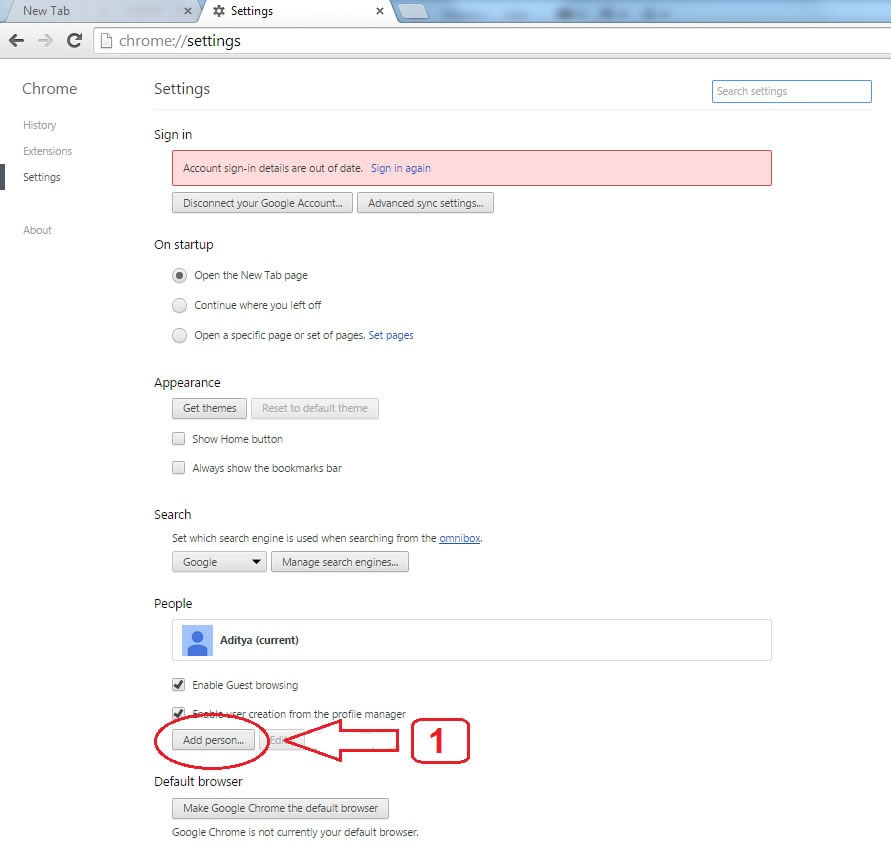
- From here click on Add Person to create another browser on your same computer.
Google Chrome Add Person Details
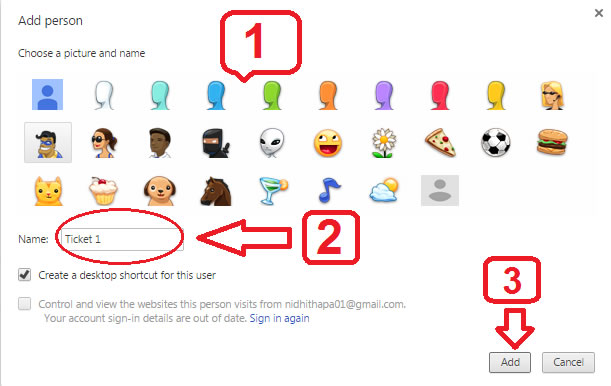
- From here select any image for your another browser.
- Here you have to type name for your another browser e.g ticket 1, ticket 2, e.t.c.
- After typing name click here to create another browser.
Google Chrome Switch Browser Details
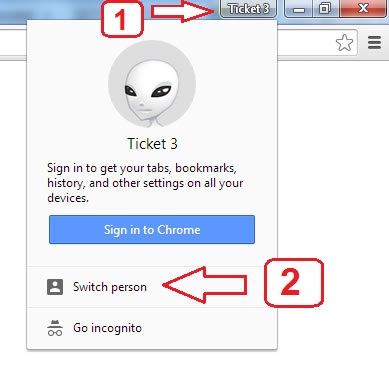
- From clicking here it will show you switch person tab.
- From clicking here it will go to switch browser page from were you can select another browser.
Google Chrome Switch Browser Page
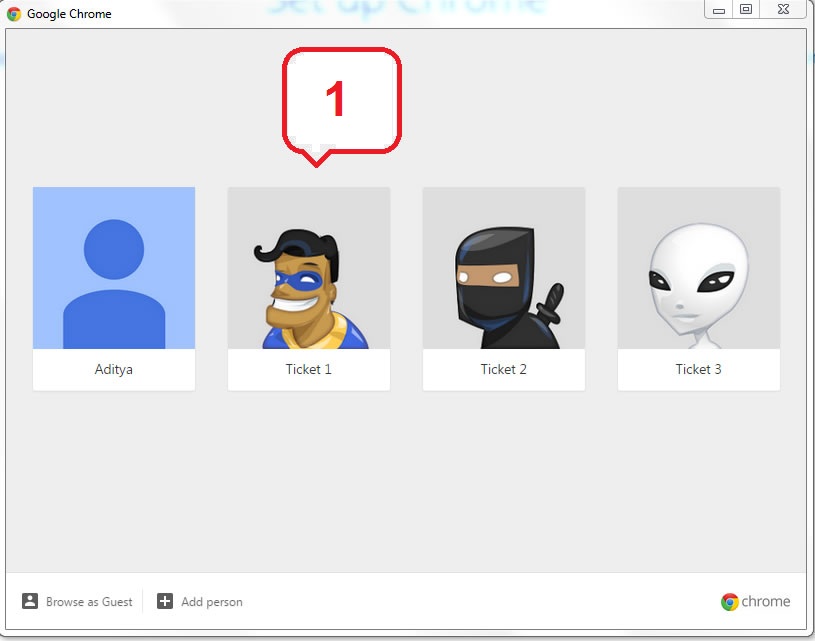
- From here you can change your browser and go to another browser.

